
Every lead you get has already cost you money. Maybe it came from a portal package, a Facebook ad or a channel partner. What happens in the next hour decides if that money comes back. Who calls the buyer? How fast? And who follows up when they go quiet on day three?
A CRM for real estate brokers takes care of all of that. It brings every enquiry into one place, sends it to the right agent in seconds and keeps track of the deal until the booking. Nobody has to remember callbacks, and you can finally see which agents and sources actually close.
In this guide, you’ll learn the 10 features a broker CRM must have, how it differs from a general CRM and how to pick the right one. You’ll also see how Leadrat helps more than 38,000 agents turn the leads they already pay for into bookings.
Key Takeaways
- A broker CRM collects leads from portals, ads and your website, assigns them instantly and reminds agents to follow up.
- Speed wins deals. Leads called within an hour are far more likely to turn into real prospects.
- Look for lead capture, smart distribution, reminders, calling, WhatsApp, site visits, property matching, a mobile app, reports and data security.
- General CRMs need costly changes to work for property. A real estate CRM works from day one.
- Leadrat gives Indian brokers all of this, plus dashboards that show who’s converting and who’s slow to respond.
What Is a CRM for Real Estate Brokers?
A CRM for real estate brokers is software built for property sales. It helps you manage every lead, from the first enquiry and site visit to the final booking.
Unlike a simple contact list, it understands listings, projects, site visits and portal leads. New to CRMs? Start with our guide on what a CRM is.
Why Spreadsheets and WhatsApp Stop Working
Most brokerages start with an Excel sheet and a team WhatsApp group. That’s fine at ten leads a week. At a hundred, things start slipping.
- Leads come from everywhere. Portal emails, Facebook forms, website enquiries and walk-ins never end up in one list.
- Calls happen too late. By the time a lead gets forwarded, the buyer has already spoken to two other brokers.
- Follow-ups get forgotten. Agents miss callbacks, and interested buyers slowly go cold.
- You can’t see what’s working. Nobody knows which source converts, who’s slow or how many site visits happened last week.
- Data leaves with people. When an agent quits, their contacts and chats often go with them.
Timing really matters. A Harvard Business Review study found that companies that contacted leads within an hour were nearly seven times more likely to qualify them.
10 Features Every Broker CRM Should Have
1. Automatic Lead Capture
Leads from portals, ads, your website and QR codes should land in one inbox on their own. No copying. No pasting.
2. Smart Lead Distribution
Each lead should reach the right agent in seconds, based on project, area, language or workload. Our guide to lead distribution software explains how this works.
3. Reminders and SLA Alerts
Every lead needs a next step and a deadline. A good CRM flags overdue tasks and moves ignored leads to someone else.
4. Calling and Call Logs
Agents should call straight from the CRM, and the CRM should save every call automatically. It’s the habit we cover in our telecalling guide.
5. WhatsApp Built In
Indian buyers live on WhatsApp. A WhatsApp CRM lets agents send brochures and prices, and keeps every chat on the lead’s record.
6. Site Visit Tracking
A site visit is the clearest sign a buyer is serious. Your CRM should book it, remind both sides and record whether it happened.
7. Property Matching
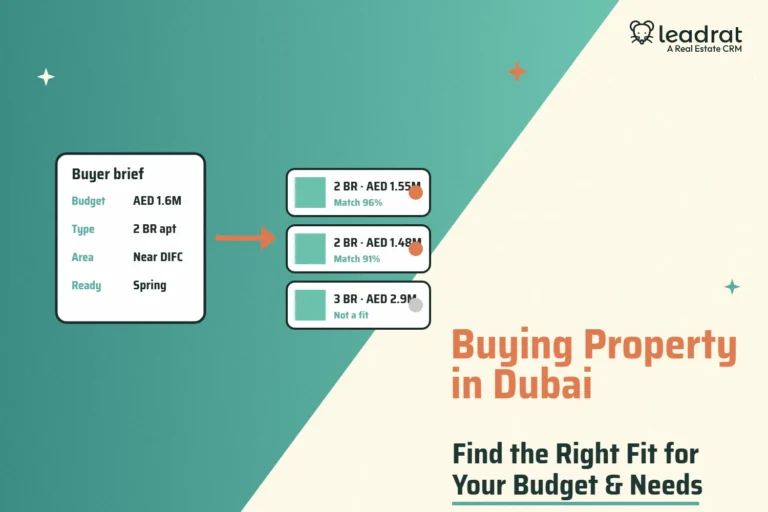
When a buyer shares their budget and preferred area, the CRM should suggest suitable properties right away.
8. A Mobile App That Works
Brokers spend their day on the move. Everything above has to work on a phone, not just a laptop.
9. Reports and Dashboards
You should be able to see lead sources, response times, site visits, bookings and revenue at a glance.
10. Data Security
Your lead database is one of your biggest assets. Access controls and export limits keep it safe.
Broker CRM vs General CRM
| What you need | Real estate broker CRM | General CRM |
|---|---|---|
| Portal leads | Built-in integrations | Custom connectors needed |
| Site visits | Part of the sales flow | Must be set up as a custom step |
| Property matching | Matches buyers to listings | Not available |
| Built in and saved to each lead | Usually a paid add-on | |
| Setup time | A few days | Weeks to months |
| Agent adoption | Feels familiar to brokers | Agents often avoid it |
Want a deeper comparison? Read our guide on real estate CRM vs general CRM.
How Leadrat Helps Real Estate Brokers
Leadrat is a real estate CRM used by more than 38,000 agents across 1,200+ companies in India and the UAE. It’s built to cut out manual work, so your team spends more time selling and less time updating sheets. Here’s how it handles each of the problems above.
One Dashboard for Your Whole Business

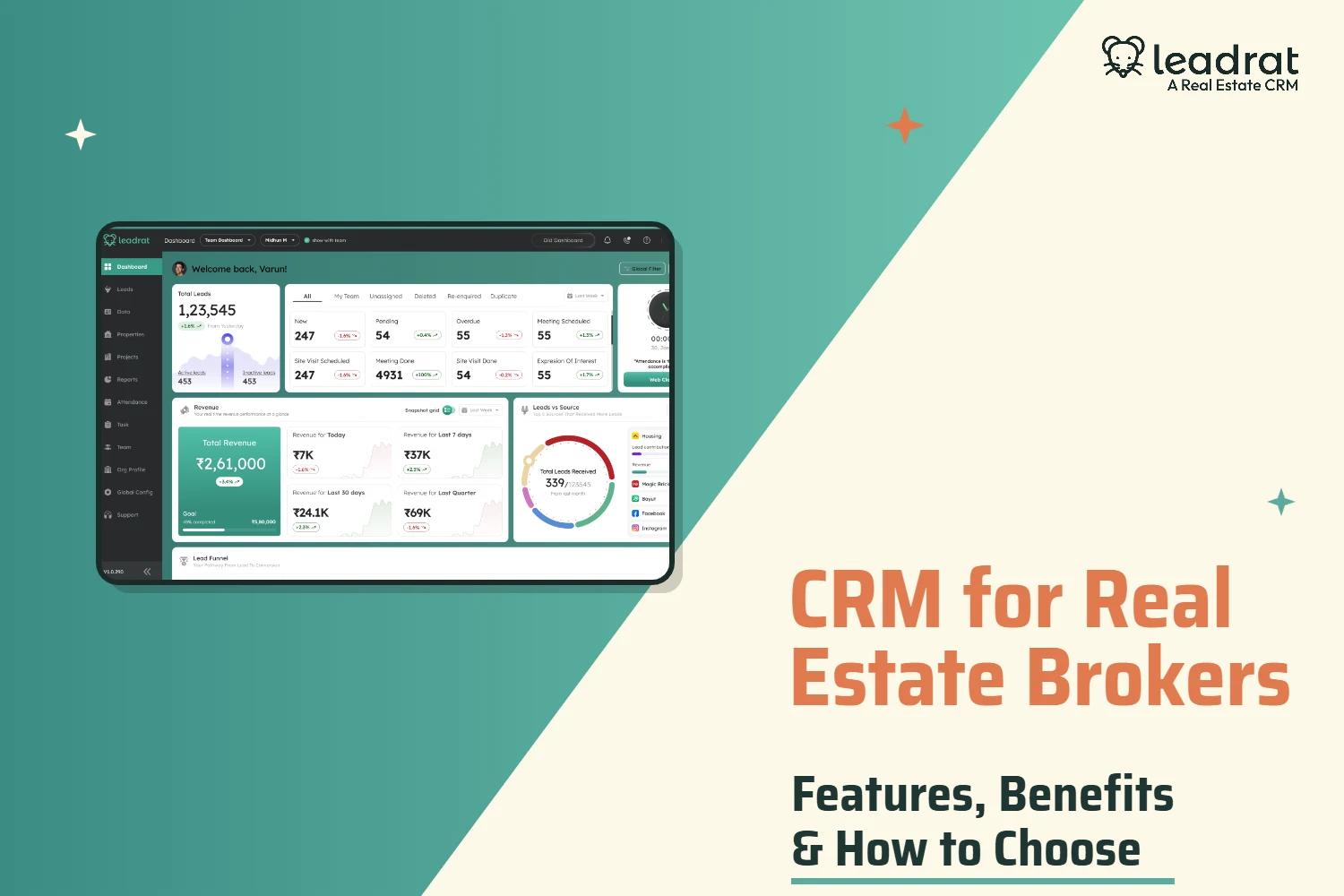
Agents, team leads and owners each get their own dashboard view. You can see active and inactive leads, every lead status with trends, and revenue for today, the last week, the last month and the last quarter.
Every number is clickable. Tap “Overdue” or “Site Visit Scheduled” and Leadrat opens those exact leads for you. The Leads vs Source widget shows which portals and campaigns bring the most buyers, and how much revenue each one brings in.
All Your Leads in One List, Without Duplicates
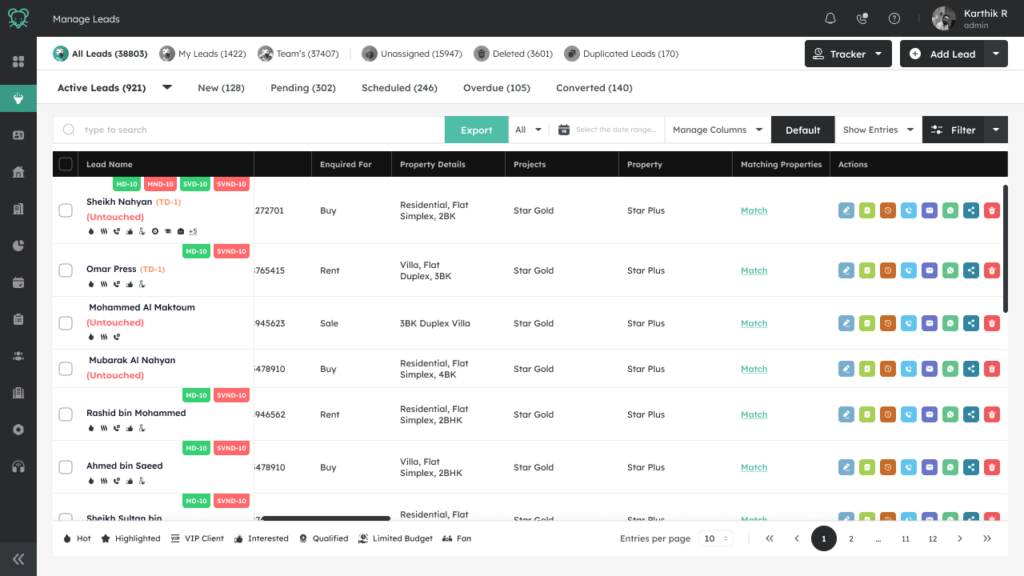
Leads from 99acres, MagicBricks, Housing.com, Meta, Google, your website, microsites and QR codes all land in one list. Each lead shows what the buyer wants, the project, the status and sub-status. From there, agents can call, WhatsApp, email or set a reminder in one tap.
When a past buyer enquires again, Leadrat spots it. It keeps their full history and sends them to the right agent, instead of creating a duplicate. And with more than 100 filters, any lead is easy to find.
Match Buyers and Properties Both Ways
Open a buyer, and Leadrat shows properties that fit their budget and area. Open a listing, and it shows every buyer who might want it. You move stock faster and pitch with confidence.
Smart Lead Distribution
Leadrat assigns every new lead in seconds, using rules you set yourself, without any coding:
- Lead Pool with Threshold: releases leads to agents in fair, balanced batches.
- Smart Lead Rotation: moves a lead to the next agent if it isn’t picked up in time, over several rounds.
- Percentage-Based Distribution: splits leads between projects by percentage.
- Dual Ownership and Shared Notes: two agents can share a buyer and see the same history.
- Scheduled and Rule-Based Assignment: routes leads by source, project, area or shift.
- SLA Auto-Reassignment: passes ignored leads to another agent automatically.
Leadrat also lets two agents pitch different projects to the same buyer, without seeing each other’s work. You get more out of every lead, and there’s no internal fighting over it.
Tired of losing portal leads to faster brokers? See how Leadrat captures, assigns and tracks every enquiry for your team. Book a free Leadrat demo.
Response Time and SLA Tracking
Leadrat shows how fast each agent responds to new leads and how often they miss your deadline. You can see leads assigned, leads acted on and the breach rate for every agent. Speed stops being a promise and becomes a number you can track.
Follow-Ups That Don’t Slip
Every lead gets a next step, a reminder and a deadline. Instant notifications tell agents about new leads and due follow-ups. Ready-made message templates make replies on WhatsApp and email quick and consistent.
On the mobile app, agents can update a lead with a single swipe. Fewer taps mean more updates, and more accurate data for you.
A Separate Space for Cold Calling
Not every contact is a real lead yet. Leadrat’s Data module keeps cold-calling lists separate, so they don’t clutter your pipeline. When someone shows real interest, the agent converts them into a lead in one step.
Caller ID and Call Reports
When a lead calls, Leadrat shows a pop-up with their name and details, a bit like Truecaller. Agents don’t need to save numbers on their phones, and Leadrat logs every call.
The Agent Talktime report shows each agent’s total calls, connected calls, missed calls and talk time. You can coach your team on real activity, not guesswork.
Reports That Show Who’s Delivering
Top Closers ranks your agents by brokerage earned, deal value, bookings, site visits or meetings. Click any agent to see their full numbers. New Lead Intake shows how many fresh leads came in compared with last period, and Reminders list every upcoming task.
Leadrat has more than 50 reports, and every number links straight to the leads behind it. You can also get reports on WhatsApp or email on a schedule, so you see the numbers without logging in.
Site Visits, Attendance and Field Teams
Agents book and close site visits from the app. Site visit and booking forms can store photos, too. You’ll see which visits happened, which didn’t and which are overdue.
Agents mark attendance from the dashboard, with a photo at clock-in and clock-out. Geo-tracking, geofencing and a map view show where your field team is during the day.
A Mobile App Built for Brokers
The Leadrat app shows active, unassigned, overdue and booked leads on the home screen, along with a calendar of reminders. Agents can call, message, update leads and log site visits between meetings.
WhatsApp, Microsites and Integrations
With the WhatsApp Business API through EngageTo, agents can send templates, brochures and automatic follow-ups from the CRM. Built-in property and project microsites give each listing its own page that captures leads.
Leadrat also connects with portals, marketing tools and other business software, so your data stays in one place.
Bring Old Leads Back
A lead marked “dead” isn’t always dead. A buyer who visited a site six months ago and went quiet may be ready now. Leadrat helps you find leads like these and bring them back into your pipeline, so your old database starts producing new bookings.
Documents, Audit Trail and Security
Each lead keeps its own documents, so paperwork stays with your business even if an agent leaves. A tamper-proof audit trail records every change. You control who sees what, and you can turn off copy-paste and screenshots to protect your data.
A Typical Day for a Broker on Leadrat
- 9:00 AM: Riya clocks in on the app and checks today’s reminders.
- 9:12 AM: A MagicBricks lead comes in. Leadrat assigns it to her based on the project and sends an alert.
- 9:15 AM: She calls from the app, notes the outcome and sends a brochure on WhatsApp.
- 11:30 AM: She books a site visit, and Leadrat reminds both her and the buyer.
- 4:00 PM: At the site, she marks the visit done and adds the next step.
- 6:30 PM: Her manager checks response times, visits and bookings on the dashboard.
Nothing depends on memory, and nothing gets missed.
How to Choose a CRM for Your Brokerage
- List your lead sources. Make sure the CRM connects to the portals and ad platforms you use.
- Test the lead rules. Ask the vendor to show round robin, percentage splits and automatic reassignment.
- Try the mobile app. Ask two agents to add a lead, call it and log a site visit on their phones.
- Check the reports. You should see response times, source performance and agent activity without exporting anything.
- Ask about security. Check access controls and export limits.
- Ask about onboarding. Find out how long setup takes and what training you get.
- Work out the full cost. Add up licences, add-ons and setup for a whole year.
Want to compare options? See our list of the top real estate CRMs in India. If you work with developers, read our guide to channel partners in real estate, too.
Getting Started with Leadrat in 5 Steps
- Bring in your data. Import leads and contacts from Excel or your old CRM.
- Connect your sources. Link your portals, Meta and Google ads, website forms and QR codes.
- Set your lead rules. Choose pools, rotation, project splits and response deadlines.
- Add your team. Set roles, access and targets for each agent.
- Train and go live. A short session is usually enough to get agents started.
The Bottom Line
A broker CRM isn’t just a place to store contacts. It helps you reply first, follow up every time and know exactly where each deal stands. Leadrat brings lead capture, smart distribution, response tracking, site visits, WhatsApp and clear reports into one platform made for Indian brokers. To learn more about keeping leads moving, read our guide to the best lead tracking software.
The broker who replies first and follows up longest usually gets the booking.
Ready to turn more leads into bookings? Get a free Leadrat walkthrough set up around your brokerage, your portals and your team. Get your free demo today.
Frequently Asked Questions
What is the best CRM for real estate brokers in India?
The best CRM captures portal and ad leads automatically, assigns them fast, tracks site visits and works well on mobile. Leadrat is built for Indian brokers and does all of this.
Why do real estate brokers need a CRM?
A CRM stops leads from slipping away. It speeds up first calls, reminds agents to follow up, tracks site visits and shows which sources and agents bring results.
Which features matter most in a broker CRM?
Lead capture, smart distribution, reminders, calling, WhatsApp, site visit tracking, property matching, a mobile app, reports and data security.
Can a CRM connect with 99acres, MagicBricks and Housing.com?
Yes. Leadrat pulls leads from major Indian portals, ads and websites into one inbox automatically.
How does a CRM help me respond faster?
It assigns new leads in seconds, alerts the agent and moves ignored leads to someone else. Leadrat also shows each agent’s average response time.
Is a general CRM good enough for brokers?
It can work, but you’ll need custom setup for portals, site visits and property matching. A real estate CRM works from day one.
Does Leadrat have a mobile app?
Yes. Agents can view leads, call, send WhatsApp messages, log site visits and update leads with a swipe.
How long does it take to set up a broker CRM?
With Leadrat, most brokerages import their data, connect their sources and go live within a few days.