
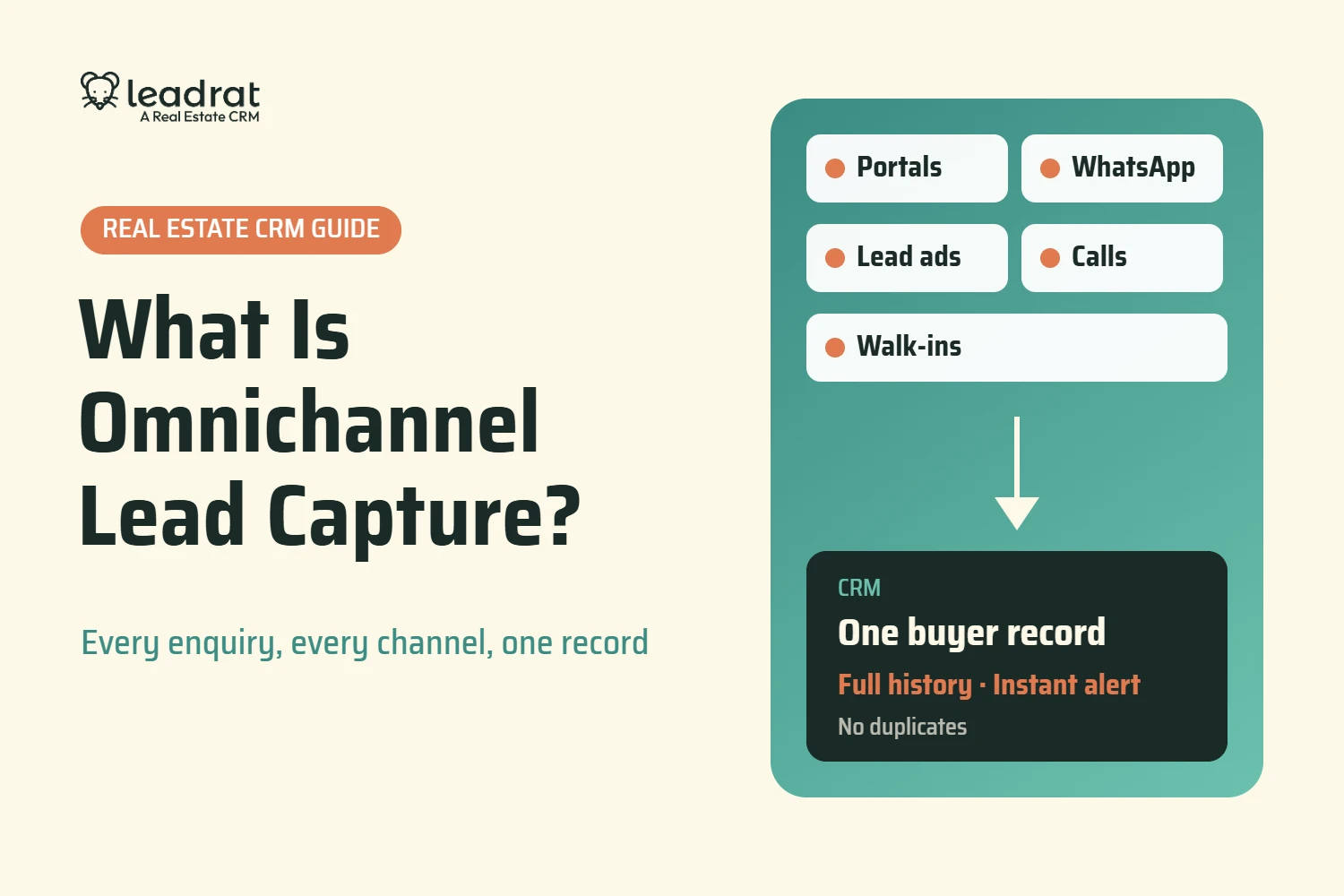
What if the buyer who booked a 3 BHK with another developer last month had actually enquired with you first? It happens more often than most sales heads realise. The enquiry came in on 99acres at 9 pm. The follow-up WhatsApp went to an agent’s personal phone. And when the buyer finally called the number on your site hoarding, nobody knew who they were.
Sounds familiar?
Buyers today reach out on several channels before they ever book a site visit. Most sales teams capture some of these well. The rest slip away quietly, on a receptionist’s notepad or in a portal inbox nobody checked.
That’s the problem omnichannel lead capture solves. Let’s look at what it means, how it differs from multichannel, where your leads actually come from and how to set up a CRM so every enquiry lands in one place.
Key Takeaways
- Omnichannel lead capture brings enquiries from every channel into one CRM record per buyer, with the full history attached.
- Multichannel means being present on many channels. Omnichannel means those channels are connected.
- The same buyer often enquires on two or three channels. Without duplicate detection, that one buyer becomes three leads and three agents.
- Speed is the payoff. Research shows the odds of contacting a lead fall sharply within the first 30 minutes.
- Capture is only step one. Routing, response and source tracking decide whether the lead converts.
What Is Omnichannel Lead Capture?
Omnichannel lead capture is the practice of collecting enquiries from every channel a buyer uses, such as property portals, ads, WhatsApp, calls, websites and walk-ins, into a single CRM, where each buyer has one record with their complete history.
In practice, it means an agent who picks up a lead can see every enquiry, call and message from that buyer, whichever channel it came through.
Where the term comes from
The word “omnichannel” comes from retail. McKinsey describes it as interacting with customers “over whatever channels they prefer”, whether that’s a store, a website, a text message or social media.
Lead capture is the first job in that chain: recording each enquiry with enough detail (name, number, source, the property asked about, and when) for someone to act on it. Put the two together and you get omnichannel lead capture: every enquiry recorded, from every channel, against one buyer.
Multichannel vs Omnichannel: The Difference That Matters
Before we go further, let’s clear up a common mix-up. The two words sound alike, and many vendors use them as if they were the same. They aren’t.
A multichannel team is present on many channels. It lists on portals, runs Facebook ads and answers WhatsApp. But each channel lives in its own place. Portal leads sit in the portal dashboard. WhatsApp chats sit on one phone. Calls sit in a call log.
An omnichannel team connects those channels. Every enquiry flows into the same system and joins the same buyer record. The channel becomes a tag on the lead, not a separate inbox.
| Multichannel | Omnichannel | |
|---|---|---|
| Where leads live | Separate inbox for each channel | One CRM for all channels |
| Same buyer on two channels | Two leads, often two agents | One lead with both enquiries attached |
| What the agent sees | Only the latest message | The full history across channels |
| Response time | Depends on who checks which inbox | Instant alert, whatever the channel |
| Source reporting | Rough counts per channel | Leads, site visits and bookings per source |
Here’s a simple test. If a buyer who enquired on MagicBricks calls your office a week later, does the person who answers know about the first enquiry? If not, you’re multichannel, not omnichannel.
Where Real Estate Leads Come From in India
Now that the difference is clear, let’s map the channels. Before you connect anything, list every one of them. Most teams undercount, and offline channels and personal phones are the ones that get missed.
| Channel | How the lead arrives | What usually gets lost | How to capture it |
|---|---|---|---|
| Property portals (99acres, MagicBricks, Housing.com, CommonFloor) | Enquiry form, call or chat on a listing | Late-night leads and listing details | Direct portal integration with the CRM |
| Facebook and Instagram lead ads | Instant form inside the ad | Leads downloaded as CSV days later | Real-time lead ads integration |
| Google Ads | Landing page form or lead form asset | Forms that email the wrong person | Form or webhook connection to the CRM |
| Website and project microsites | Enquiry form, chat or brochure download | Brochure downloaders never followed up | Website form integration |
| Direct message or click-to-WhatsApp ad | Chats on an agent’s personal phone | WhatsApp Business API connected to the CRM | |
| Phone calls | Calls to a published number or IVR | Missed calls, especially after hours | Call tracking with automatic lead creation |
| Channel partners | Leads shared by brokers | Ownership disputes and double payouts | Partner lead entry with tagging |
| Walk-ins and site visits | Visitor arrives at the sales office or site | Details on paper registers | QR code or tablet form at reception |
| Referrals and events | Word of mouth, property expos | Business cards in a drawer | Quick mobile entry or event QR form |
Two of these deserve special attention in India. WhatsApp, because buyers expect to message rather than fill forms, and many of those chats never reach the company’s records. And channel partners, because without a clear record of who registered a buyer first, disputes over brokerage are common.
Why Omnichannel Capture Matters: Speed, Duplicates and Attribution
So why go to the trouble of connecting all of this? Here are three reasons that show up directly in your bookings.
First, some context on how buyers behave. A Harvard Business Review study of over 46,000 shoppers at a major US retailer (2017) found that 73% used multiple channels, while only 7% shopped online-only and 20% store-only. Omnichannel customers spent 4% more per store visit and 10% more online than single-channel customers. The authors note this is a correlation, not proof of cause.
Business buyers show the same pattern. McKinsey’s research found that B2B customers regularly used ten or more channels to deal with suppliers in 2021, up from five in 2016. Property buyers, who research for months before a site visit, are no different.
1. Speed decides who gets the buyer
The best-known research on response time is the Lead Response Management Study by InsideSales.com and MIT’s Dr James Oldroyd. It found that the odds of contacting a lead were about 100 times higher when the lead was called within 5 minutes rather than 30. The odds of qualifying the lead were about 21 times higher.
A separate Harvard Business Review study of 2,241 companies found similar results on a longer timescale. Firms that responded within an hour were nearly seven times as likely to qualify the lead as firms that waited longer.
Speed is impossible if leads are spread across inboxes. A lead can’t be called in five minutes if nobody knows it exists for five hours.
2. One buyer, one record
Serious buyers shop around. The same person may enquire about the same project on two portals and then message you on WhatsApp. Without duplicate detection, that’s three leads, often given to three agents. They call the buyer separately, which annoys the buyer and wastes time.
An omnichannel setup matches enquiries on the phone number, recognises the buyer and adds each new enquiry to the existing record. The lead stays with one owner.
3. You learn which channels actually sell
When every lead carries a source tag from the start, you can follow it through to the site visit and the booking. That changes budget decisions. A portal that brings 500 leads and 2 bookings may be worth less than a WhatsApp campaign that brings 80 leads and 6 bookings.
How Omnichannel Lead Capture Works in a CRM
A good setup has five layers. Each one fixes a different leak.
| Layer | What happens | What it prevents |
|---|---|---|
| Capture | Integrations pull leads from portals, ads, website forms, WhatsApp and calls | Leads sitting unseen in separate inboxes |
| Identify | The CRM checks each new enquiry against existing records | Duplicate leads and agent conflicts |
| Route | Assignment rules send the lead to the right agent by project, location or source | Leads waiting for a manager to assign them |
| Respond | The agent gets an instant alert, and a WhatsApp or email acknowledgement can go out | Slow first response |
| Measure | Every lead is tracked from source to site visit to booking | Budget decisions based on lead volume alone |
Omnichannel Lead Capture Examples
Theory is useful, but examples make it real. Let’s look at one buyer’s journey, and then at a good and a poor setup side by side.
Example 1: One buyer, four channels
Here’s how a single buyer moves through a connected system over ten days.
| Day | What the buyer does | What the CRM does |
|---|---|---|
| Day 1, 9:12 pm | Enquires about a 3 BHK on 99acres | Creates a lead tagged 99acres and assigns it to the agent handling that project. The agent gets a push alert |
| Day 3 | Fills an Instagram lead form for the same project | Recognises the phone number, adds the enquiry to the existing record and notifies the same agent |
| Day 6 | Calls the number on the site hoarding | The agent’s phone shows the buyer’s name and history before they answer |
| Day 10 | Walks into the site office and scans the QR code at reception | Logs the site visit against the same lead, ready for follow-up |
Without omnichannel capture, this buyer would have been three or four different leads, possibly with three agents and no record of the walk-in at all.
The example also raises a fair question: which channel gets the credit? The portal started the journey, but the Instagram ad and the hoarding kept the buyer engaged. Track both the first source and every later touch, and judge channels on the bookings they contribute to, not only on who came first.
Example 2: A poor setup vs a good setup
Take a mid-sized developer in Pune launching a 200-unit project, with leads from two portals, Meta ads, WhatsApp and walk-ins.
Poor setup:
- Portal leads are downloaded every morning and shared in a WhatsApp group.
- Meta leads sit in the ads account until the marketing team exports them.
- Walk-ins are written in a register at the site office.
Why it fails: leads wait hours for a first call, the same buyer is called by two agents, and nobody can tell which channel produced the bookings.
Good setup:
- Portals, Meta lead ads and the project microsite feed the CRM directly.
- WhatsApp runs through the Business API, so chats are saved against the lead.
- Walk-ins scan a QR code at reception, which creates or updates the lead.
- Every lead is assigned within seconds and moves to another agent if untouched for 10 minutes.
Why it works: each buyer has one record and one owner, the first call happens in minutes, and the weekly report shows bookings by source.
Capture every enquiry from every channel in one place. Leadrat brings portal, ad, website, WhatsApp, call and walk-in leads into one CRM, with duplicate detection and instant assignment. Book a free Leadrat demo.
How to Set Up Omnichannel Lead Capture: Step by Step
Ready to connect your channels? Here’s a step-by-step way to do it without disrupting your sales team.
Audit your channels:
List every place a buyer can reach you, including personal numbers printed on old brochures.
Connect the digital sources first:
Portals, lead ads and website forms are the easiest to integrate and usually bring the most volume.
Bring WhatsApp and calls into the CRM:
Use the WhatsApp Business API and call tracking, so these leads stop living on individual phones.
Capture offline leads properly:
Put a QR code or tablet form at reception and site offices. Give channel partners a standard way to register buyers.
Turn on duplicate detection:
Match on phone number, and decide what happens to repeat enquiries: same owner, with a fresh alert.
Write assignment rules:
Route by project, location, source or a percentage split, and set a time limit before an untouched lead moves to the next agent.
Standardise source tags:
Use the same names everywhere, such as “MagicBricks” not “MB” in one place and “Magic Bricks” in another.
Review weekly:
Check leads, site visits and bookings by source, and look for any channel where leads arrive but nobody responds.
How Leadrat Handles Omnichannel Lead Capture
Leadrat was built for Indian and UAE real estate teams, so the channels that matter here come connected.
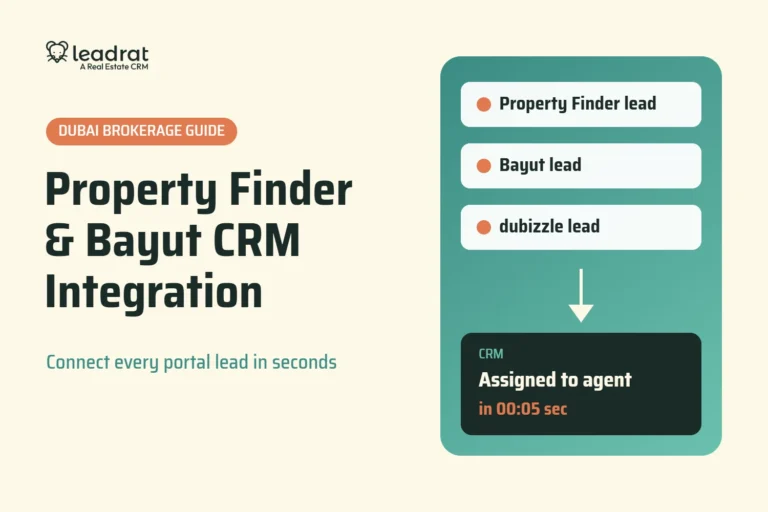
- Portal integrations: 99acres, MagicBricks, Housing.com and CommonFloor in India, plus Bayut, Property Finder and dubizzle in the UAE.
- Ads, websites and microsites: lead ads, website forms and Leadrat’s built-in project microsites feed straight into the CRM. QR codes cover walk-ins and site offices.
- WhatsApp and calls: WhatsApp Business API messaging, call logs and a call detection pop-up that shows the lead’s details when they call, without saving the contact.
- Duplicate and re-enquiry detection: repeat enquiries join the existing record and alert the owner, instead of creating new leads.
- Auto-assignment and rotation: leads are assigned by project, location, source or percentage, and reassigned automatically if nobody acts in time.
- Source reporting: the Leads vs Source widget shows lead count, share and revenue for each source.
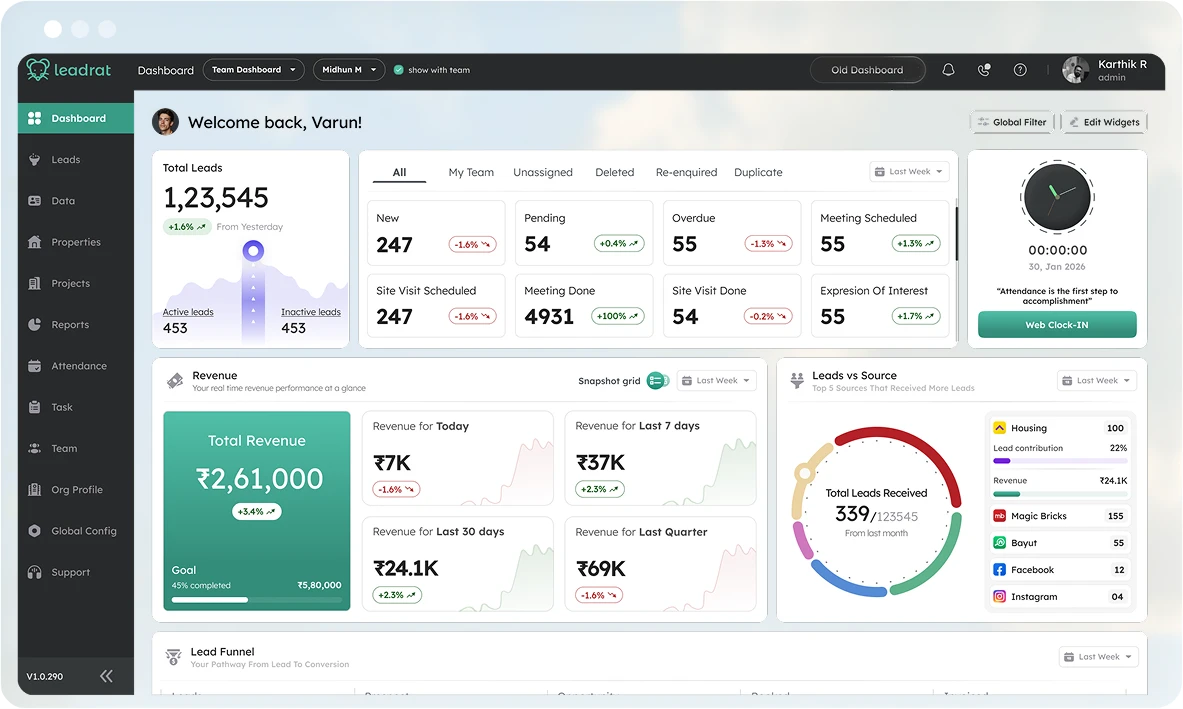
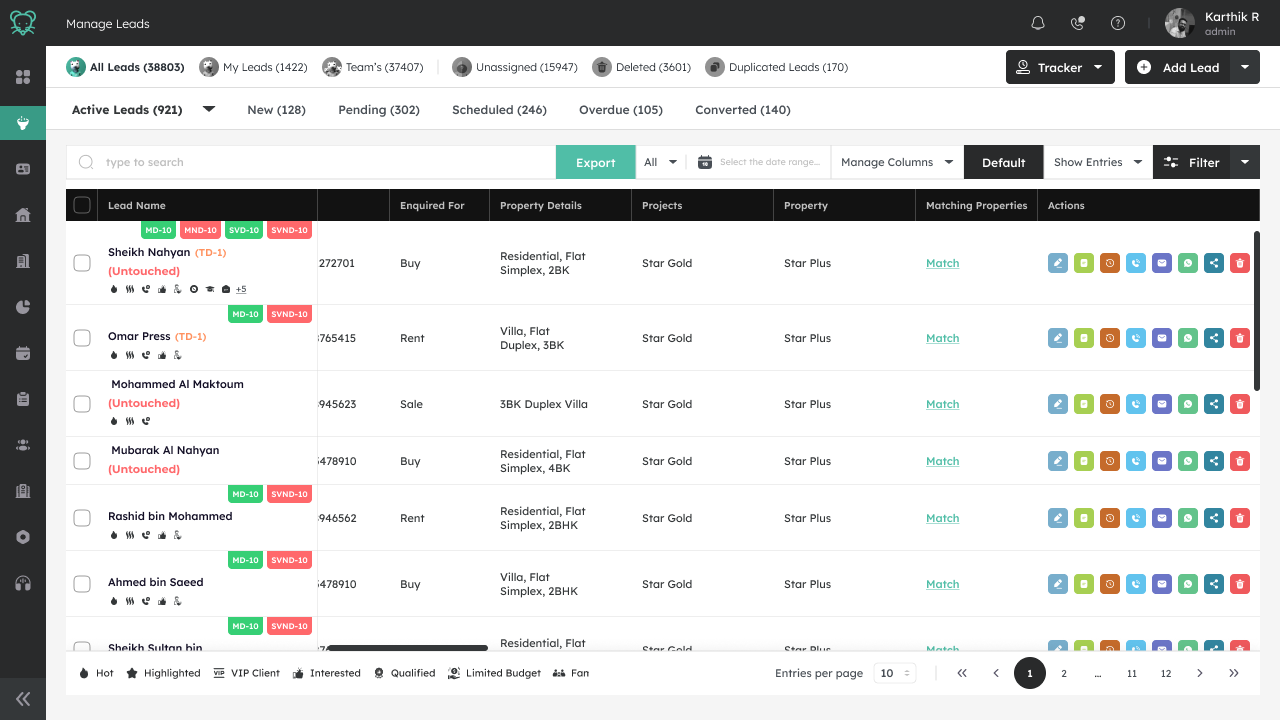
For a closer look at reading these numbers, see our guide to the sales dashboard, and our breakdown of lead-to-booking conversion.
Common Mistakes to Avoid
| Mistake | What happens | The fix |
|---|---|---|
| Connecting portals but not WhatsApp | Your most responsive buyers stay on agents’ phones | Connect WhatsApp through the Business API |
| Ignoring walk-ins | Site visits happen with no record or follow-up | Use a QR code or tablet form at reception |
| No duplicate rules | One buyer, several agents, an irritated customer | Match on phone number and keep one owner |
| Inconsistent source names | Reports split one source into three | Fix a standard list of source tags |
| Judging channels by lead count | Budget goes to the noisiest channel | Compare site visits and bookings by source |
| Capturing without routing | Leads arrive instantly but wait hours for assignment | Set auto-assignment and a response time limit |
Omnichannel capture is the foundation, not the finish line. Once every enquiry lands in one place, the job shifts to qualifying it well. Our guide to presales in real estate covers that next step.
Wrapping It Up
Buyers don’t think in channels. They enquire wherever it’s convenient and expect you to remember them the next time. Omnichannel lead capture makes that possible by giving every buyer one record, one owner and a fast first response, whichever way they reach you.
Stop losing leads between channels. Over 38,000 agents across India and the UAE use Leadrat to capture, assign and track every enquiry. Get your free demo today.
Frequently Asked Questions (FAQs)
What is omnichannel lead capture?
It’s the practice of collecting enquiries from every channel, such as portals, ads, WhatsApp, calls, websites and walk-ins, into one CRM, with one record per buyer and their full history.
What is the difference between multichannel and omnichannel?
Multichannel means you’re present on many channels, each managed separately. Omnichannel means those channels are connected, so every enquiry joins the same buyer record.
What is an omnichannel CRM?
An omnichannel CRM collects leads and conversations from all channels into one system. Agents see the complete history, whichever channel the buyer used.
Which lead sources should a real estate CRM capture in India?
Property portals like 99acres, MagicBricks, Housing.com and CommonFloor, Facebook and Instagram lead ads, Google Ads, website forms, WhatsApp, phone calls, channel partners and walk-ins.
How do you avoid duplicate leads from multiple channels?
Use a CRM that matches enquiries on phone number. Repeat enquiries should be added to the existing record and alert the current owner.
How fast should you respond to a real estate lead?
Within five minutes if possible. The InsideSales.com and MIT study found the odds of contacting a lead were about 100 times higher at 5 minutes than at 30 minutes.