

Most real estate teams in India do not have a lead problem. Instead, they have a lead handling problem. Enquiries arrive from 99acres, MagicBricks, Housing.com, Facebook ads, Google ads, the website and WhatsApp, and they land in five different inboxes. Some get a call in ten minutes. Others wait until the next day. A few never get a call at all.
A lead management system fixes this by putting every enquiry in one place, sending it to the right person and reminding that person to follow up until the lead either books or drops out. Real estate lead management software does the same job, but with features built for property sales: portal integrations, site visit tracking, project inventory and WhatsApp follow-up.
Our Lead Management guide explains the process from capture to conversion. This post is the buyer’s guide that goes with it. It covers what lead management software does, the signs you need one, the features that matter for real estate, how pricing works and a checklist you can use to compare tools side by side.
Key Takeaways
- Lead management software captures, assigns, tracks and reports on every enquiry, so no lead depends on someone remembering to call back.
- If your team runs on spreadsheets, call logs and WhatsApp groups, missed follow-ups and unclear lead sources are the first signs you have outgrown them.
- For real estate, the must-have features are portal integrations, auto-assignment, site visit tracking, WhatsApp, a mobile app and source-wise reporting.
- Compare tools on the same checklist, run a trial with real leads and ask every vendor the same pricing questions.
- Most CRMs charge per user, per month. Ask about annual billing, volume discounts, setup fees and which features sit behind higher plans.
- The right tool is the one your sales team will open every day. In other words, ease of use matters as much as the feature list.
What Is Lead Management Software?
Lead management software is a tool that collects enquiries from every source, assigns them to salespeople, tracks each follow-up and shows which leads and channels turn into sales.
In real estate, it replaces the mix of spreadsheets, call logs and WhatsApp chats that most teams use to manage buyers. People often call it a lead management system or a lead tracking tool, and it usually sits at the core of a real estate CRM.
What a Lead Management System Does
Whatever you call it, every lead management system does five jobs. So before you look at any feature list, check that a tool does all five well.
1. Capture
The software pulls enquiries in automatically from property portals, ad platforms, your website forms, landing pages, IVR numbers and WhatsApp. As a result, nobody has to copy a phone number from an email into a sheet. Each lead arrives with its source, the project or property it asked about and the time it came in.
2. Assign
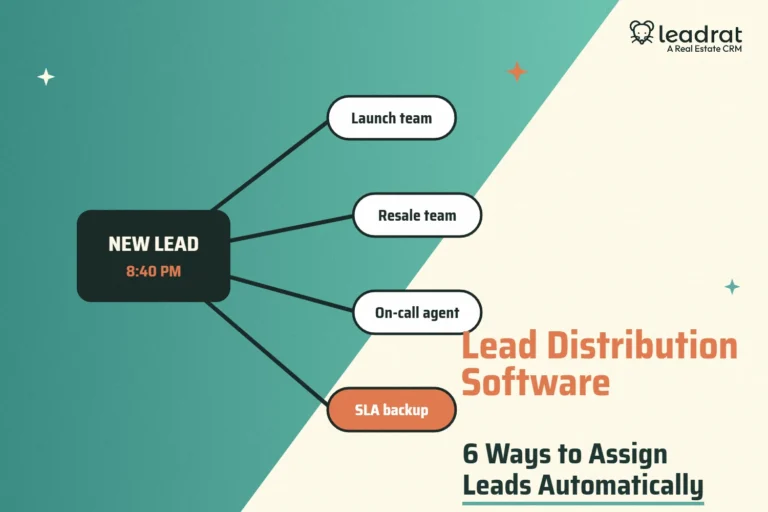
The system routes new leads to a salesperson using rules you set: by project, location, language, budget or simple round robin. Good lead routing means the lead reaches someone who can call within minutes, not whoever happens to check the inbox first.
3. Track
The system logs every call, message, note, status change and site visit against the lead. Therefore, anyone on the team can open a lead and see its full history. Even when a salesperson leaves, their leads and their history stay with the company.
4. Follow up
The system sets reminders, flags overdue follow-ups and can send WhatsApp, SMS or email messages from templates. In fact, this is where most of the value sits. Property buyers often take weeks or months to decide, and the team that keeps following up politely is the one that gets the site visit.
5. Report
Dashboards show leads by source, stage and salesperson, plus response times, site visits and bookings. As a result, you can see which portal or campaign is worth the money and which salesperson needs help.
Signs You Have Outgrown Spreadsheets and WhatsApp Groups
Spreadsheets work when you have one project, two salespeople and a handful of leads a day. However, they break quietly as you grow. Watch for these signs.
- Nobody calls leads on time, or at all. Enquiries sit in portal inboxes or email until someone checks. Harvard Business Review research on the short life of online sales leads found that most companies do not respond nearly fast enough, and the value of a lead drops quickly with every hour of delay. Our post on speed to lead covers why this matters.
- Two salespeople call the same buyer. Nobody merges duplicate leads from different portals, so the buyer gets two calls with two different offers.
- Nobody knows the status of a lead. Ask “what happened with this buyer?” and you hear “let me check with Rahul”, but Rahul is on leave.
- You cannot say which source works. You pay for three portals and two ad campaigns but cannot say which one produced last month’s bookings.
- Data leaves with people. When a salesperson resigns, their leads, notes and WhatsApp chats go with their phone.
- Managers spend evenings on reports. Someone builds the weekly numbers by hand from sheets that do not match.
If three or more of these sound familiar, you are losing deals you already paid to generate. That is the point where software pays for itself.
Must-Have Features in Real Estate Lead Management Software
Generic CRMs can manage leads, but real estate has its own sources, sales cycle and workflow. These are the features to insist on.
Property portal and ad integrations
Leads should flow in automatically from the portals you use, such as 99acres, MagicBricks and Housing.com, plus Facebook and Instagram lead ads, Google Ads and your website. Ask each vendor for the exact list of live integrations and whether any cost extra. After all, an integration that needs a manual CSV upload every morning is not really an integration.
Auto-assignment and routing rules
Look for rules that assign leads by project, location, language, budget or source, with round robin inside a team. You should also be able to reassign leads in bulk when someone is on leave. In addition, you should be able to set a rule that moves a lead to another person if nobody contacts it within a set time.
Site visit scheduling and tracking
In property sales, the site visit is the moment that matters most. The software should let a salesperson schedule a visit, send the buyer a reminder, mark it as done or missed, and record feedback. In addition, managers should be able to see visits planned, completed and converted for each project.
WhatsApp integration
Indian buyers reply on WhatsApp far more readily than on email. So the tool should let your team send brochures, location pins, price sheets and visit reminders on WhatsApp from inside the CRM, and log those conversations against the lead. Logged chats also mean a new salesperson can pick up the conversation where the last one left off.
Mobile app with calling and call logs
Salespeople spend their day on the phone and on site. Therefore, they need a mobile app that shows new leads, lets them call with one tap, logs the call automatically and lets them update the status before the next call. If the app is slow or clumsy, they will go back to their personal notebook.
Property and project inventory
Matching a buyer to the right unit is easier when the CRM knows your inventory: projects, towers, unit types, prices and availability. This also lets you share the right listing in one click instead of hunting for the latest PDF.
Reports and dashboards
At minimum, you need leads by source, response time, follow-ups due and overdue, site visits, bookings and conversion by salesperson. Above all, source-wise cost per lead and cost per booking are what turn marketing spend from a guess into a decision.
Roles, permissions and data protection
You should be able to control who sees which leads, who can export data and who can delete records. This matters more now that the government has notified India’s Digital Personal Data Protection Rules, 2025 (on 13 November 2025), with most data fiduciary obligations coming into force in May 2027. So ask vendors where they store data, how they record consent and how you can delete a lead’s data on request.
How to Compare Lead Management Software: A Checklist
Put every shortlisted tool through the same questions. Then score each one from 1 to 5 and add notes from the demo.
| What to check | Questions to ask |
|---|---|
| Lead capture | Which portals, ad platforms and website forms are live integrations today? Do any cost extra? |
| Assignment | Can you route leads by project, location, language and budget? Does the tool reassign untouched leads automatically? |
| Follow-up | Are there reminders, overdue alerts and WhatsApp, SMS and email templates? |
| Site visits | Can you schedule, confirm, close and report visits by project? |
| Mobile app | Does the app support one-tap calling, call logging and status updates on Android and iOS? |
| Reports | Can you see source-wise leads, response time, visits, bookings and conversion by salesperson? |
| Data and security | Who can export or delete data? Where does the vendor store data? How does it record consent? |
| Onboarding | Who imports your existing leads? Does the price include training? How long does setup take? |
| Support | What are the support hours and channels? Will you get a named account manager? |
| Pricing | Is it per user? Monthly or annual billing? Any setup fee, minimum users or locked features? |
Two practical tips. First, run the trial or pilot with real leads from one live project, not with demo data. Second, ask two or three of your salespeople to use the app for a week and tell you honestly whether it saves them time. After all, adoption by the team decides whether the investment works.
Lead Management Software Pricing Models Explained
Prices vary widely, so it helps to understand how vendors charge before you compare quotes.
Per user, per month
This is the most common model. In other words, you pay a fixed amount for each salesperson or manager who logs in. It is easy to budget, but remember to count managers, telecallers and admins, not just field sales.
Monthly vs annual billing
Many vendors offer a lower effective rate if you pay annually, and some sell only annual plans. Annual billing saves money but locks you in, so do it after a proper trial or pilot.
Tiered plans and feature gating
Some tools sell basic, standard and premium tiers, and they lock integrations, automation or reports to higher tiers. So check that the plan you get quoted includes the portal integrations and WhatsApp features you need, not just the headline price.
Volume discounts
Similarly, larger teams can often get a lower per-user rate. Ask at what team sizes the rate changes and whether the discount applies when you add users mid-contract.
One-time and hidden costs
Ask about setup or onboarding fees, data migration, training, paid integrations, WhatsApp Business messaging charges, SMS credits and the cost of extra storage or custom reports. A tool with a lower per-user price can cost more once you add these.
A simple way to judge value: if the software helps your team convert even one extra booking a month, compare that commission or margin with the yearly cost of the tool for your whole team.
Where Leadrat Fits
Leadrat is a real estate CRM for brokers, channel partners and developers in India and the UAE. Lead management sits at its centre, and the team designed it around the way property teams already sell.
- Lead capture from portals and ads. Leadrat’s lead management system collects enquiries from your website and platforms such as Facebook, MagicBricks, 99acres, Housing, OLX and Google Ads.
- Assignment and follow-up. Leadrat sorts leads by status and temperature (new, overdue, scheduled, cold, warm, hot), with notes, history and reminders so the team knows who to call next.
- WhatsApp and email from the CRM. Send personalised WhatsApp messages and ready-made email templates straight from the dashboard.
- Filters and dashboards. 26+ real estate filters and custom dashboards for you, your team and your organisation.
- One plan with every feature. According to the Leadrat pricing page, Leadrat charges per user, per month, with annual billing and no feature gating, and the per-user rate drops as your team grows. Pricing starts at ₹2,299 per user per month for a 10-user team and drops to ₹1,499 per user per month at 100 users.
If you are moving off spreadsheets or a generic CRM, the fastest way to judge fit is to see your own workflow in the product. Book a free demo and bring a sample of your current leads.
Conclusion: Choose the Tool Your Team Will Use
Lead management software is not about adding another app. Instead, it is about making sure every enquiry you paid for gets a fast call, a steady follow-up and a clear outcome. Start with the five jobs: capture, assign, track, follow up and report. Then check the real estate features: portal integrations, site visits, WhatsApp, a mobile app and source-wise reporting.
Next, shortlist two or three tools, put them through the same checklist, trial them with real leads and get honest feedback from your sales team. Ask every vendor the same pricing questions so you compare like with like. The best real estate lead management software is the one that your team opens first thing every morning and that tells you, at the end of the month, exactly where your bookings came from.
Frequently Asked Questions
What is the difference between a lead management system and a CRM?
A lead management system focuses on the early part of the sale: capturing enquiries, assigning them, following up and qualifying them. A CRM, on the other hand, covers the whole customer relationship, including deals, bookings, documents, payments and after-sales. In real estate, most CRMs include lead management as their core module, so many teams buy one tool that does both.
Is free lead management software good enough for a real estate team?
Free tools can work for a solo agent or a very small team. However, they usually limit users, integrations, automation and reports, and rarely include property portal integrations or site visit tracking. Once you have several salespeople and paid lead sources, the cost of missed follow-ups is usually higher than the cost of a paid plan.
Which features matter most in real estate lead management software?
Automatic capture from portals and ads, rule-based lead assignment, follow-up reminders, WhatsApp messaging, site visit tracking, a mobile app with call logging and reports by source and salesperson. Role-based access and clear data protection controls are also important.
How do vendors price lead management software in India?
Most tools charge per user, per month, often with a lower rate for annual billing or larger teams. Some sell tiered plans that lock integrations or automation to higher tiers. So always ask about setup fees, data migration, training, paid integrations and WhatsApp messaging charges before comparing prices.
How long does it take to set up lead management software?
A small team can usually import leads, connect its main portals and start working within a few days. On the other hand, a larger brokerage or developer with several projects, teams and integrations should plan for a few weeks, including data clean-up, routing rules and training.